🔢 Lesson 2.1: Sequences & Timing
The most fundamental idea in all of coding is deceptively simple: computers do things in order. This lesson makes that idea concrete — and adds the "pause" button that turns a rushed jumble into a performance.
📚 What You'll Learn
- Explain what a sequence is and why order matters
- Use the wait block to control timing and pacing
- Build a short multi-step routine that runs like a little performance
- Help your child predict and debug "wrong order" bugs
Estimated Time: 30 minutes • Builds on: Module 1
In This Lesson
🎓 Learn It: What a sequence is
A sequence is just a list of steps carried out one after another, top to bottom. You already built one in Module 1. Computers are wonderfully obedient and completely literal: they do exactly what you stack up, in exactly that order — no guessing what you meant.
Think of a recipe: "crack the eggs, then whisk, then pour." Swap steps and breakfast goes sideways. Code is the same.
A sequence is a recipe the computer follows to the letter. If it does something odd, it's usually following your recipe correctly — the recipe just isn't what you intended yet.
🎓 Learn It: Order changes everything
Here are two scripts with the same blocks in a different order. They behave completely differently:
Move, then talk
Cat walks across, then speaks.
Talk, then move
Cat speaks first, then walks.
✅ Try the experiment
Build one, run it, then drag the blocks to swap their order and run again. Feeling the difference is worth more than reading about it.
🌱 Growth mindset: the computer isn't judging you — it's giving you feedback
When a script does something surprising, it's easy to think "I got it wrong." A more useful way to see it: the computer just showed you, very precisely, what your recipe actually says. That's free information. Swap two blocks, run it again, and compare — that loop of try, look, adjust is exactly how experienced coders work, too. Say it out loud when it happens to you: "Oh, interesting — it did what I told it, not what I meant. Let's fix the recipe." Your child will learn that a surprise is a clue to follow, not a reason to give up.
🎓 Learn It: The wait block (your pacing tool)
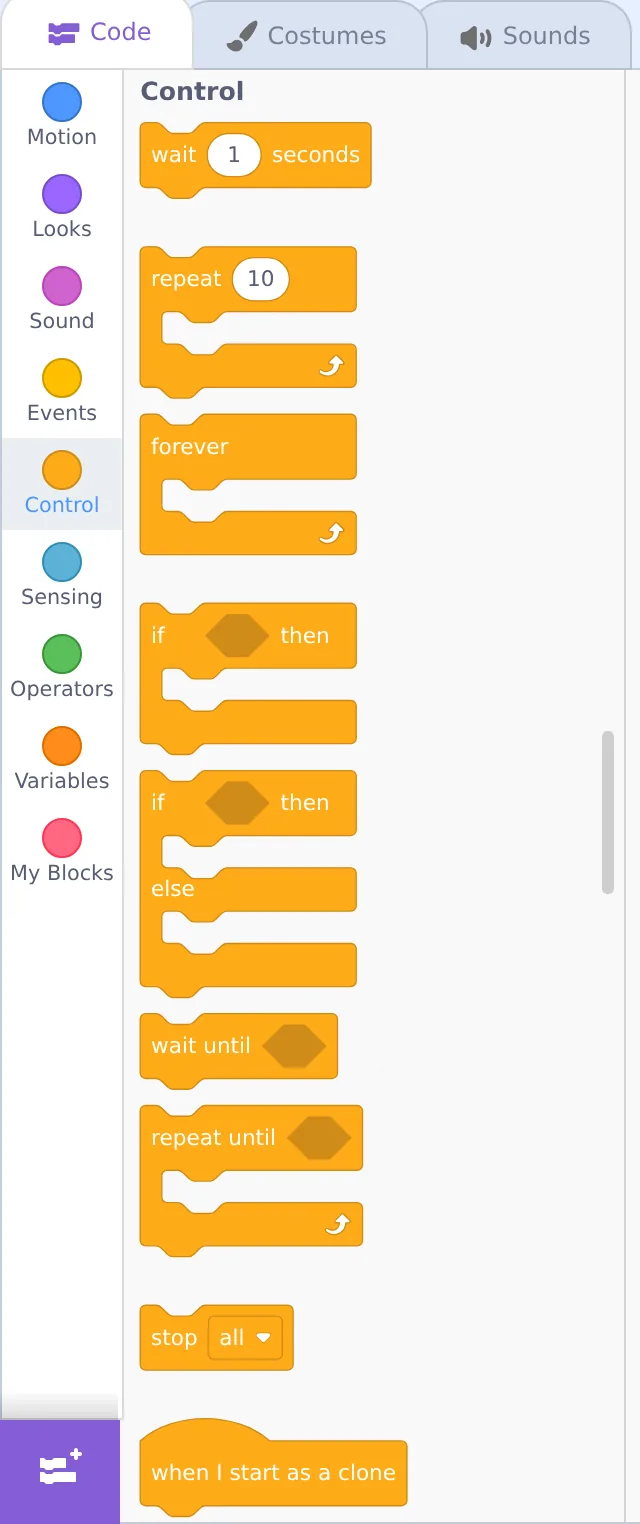
Computers are fast — often too fast. Without pauses, several actions blur into one instant. The “wait 1 seconds” block (from the orange Control category) is how you add breathing room, comic timing, and drama.
Watch what a pause does to a knock-knock joke:
Remove the waits and it still "works" — but the timing falls flat. Timing is where a project starts to feel alive.
🛠️ Try It: Build a greeting routine
Let's make the cat perform a little four-beat welcome. Open a fresh project and build this on the cat:
- Start with when 🟩 clicked (Events).
- Add go to x: 0 y: 0 (Motion) so it always starts centered.
- Add say “Hi, I'm Scratchy!” for 2 seconds (Looks).
- Add wait 1 seconds (Control).
- Add move 120 steps (Motion), then say “Welcome to my world!” for 2 seconds.
💡 Challenge: add a sound and a costume change
Between the wait and the move, add start sound Meow (Sound) and next costume (Looks). Now it greets, meows, and its legs shift as it walks off. Six blocks, one little show.
💬 Teach It: The "robot game"
Sequences click into place fastest away from the screen, with a game kids adore: you become the robot.
How to play
- Tell your child: "I'm a robot. I only do exactly what you say, one instruction at a time."
- Ask them to give you steps to, say, make a peanut-butter sandwich — and follow them literally. "Put peanut butter on the bread" → put the whole jar on the loaf.
- Let them laugh, then refine their instructions until it works. That's debugging a sequence!
"Remember: the computer is a robot just like I was. It's not being silly on purpose — it's doing your steps exactly. So if it looks wrong, let's read our steps in order and find the mix-up."
👧 Ages 5–7
The robot game is the lesson. On screen, three blocks is plenty. Let them pick the words and the wait times.
🧒 Ages 8–11
Have them predict before pressing GO: "What happens first?" Prediction turns watching into thinking.
🧑 Ages 12+
Challenge them to time a two-sprite conversation using only waits. It's a great primer for loops next lesson.
⚠️ Common kid bug
They put a say for 2 seconds before a move and wonder why the cat "waits." It's not stuck — that block holds for 2 seconds by design. Point out the words "for 2 seconds" and let the penny drop.
🎯 Quick Check
Question 1: What is a "sequence" in coding?
Question 2: Which category holds the wait block?
Question 3: Your child's cat "freezes" for two seconds mid-routine. Most likely reason?
📓 Learning Journal
Take five minutes to write it down
Date a new entry, label it "Lesson 2.1," and give each prompt a line or two.
- Key concepts: Explain a sequence using a recipe or routine from your own day. Why does a computer follow it so literally?
- What clicked: When you swapped the order of the move and say blocks, what surprised you? Did the wait block change how the greeting felt?
- Questions & confusion: Anything about timing still puzzling — like why a "say … for 2 seconds" block already pauses on its own?
- Ideas to try: Write out a short scene (a joke, a greeting, a mini play) you could turn into a timed sequence next time.
- Progress & feelings: How did the robot game go? Who laughed first — you or your child?
💡 Teach It tip: Have your child write (or draw) the robot-game instructions in their coder's notebook as numbered steps. Then read them back and follow them exactly — spotting the missing step together is a perfect first taste of debugging.
Summary & What's Next
🎓 Key Takeaways
- A sequence runs top-to-bottom; order changes behavior.
- The wait block (Control) controls pacing and timing.
- Computers follow your steps literally — most "bugs" are a recipe mix-up.
- The off-screen "robot game" teaches sequencing better than any lecture.
🏅 What You've Accomplished
- Proved to yourself that block order changes behavior
- Used the wait block to pace a joke and a greeting
- Built a multi-step greeting routine from scratch
- Played the robot game to teach sequencing away from the screen
📋 Before the Next Lesson
- Save your greeting routine — we'll build on the cat's walk next time
- Let your child write their own knock-knock joke with waits
- Write your journal entry
❓ Common Questions at This Stage
What's the difference between “say … for 2 seconds” and plain “say …”?
“Say … for 2 seconds” shows the speech bubble, waits two seconds, removes it, and only then lets the next block run — so it acts like a built-in pause. Plain “say …” pops the bubble up and moves straight on, leaving it there until something else changes it. For step-by-step scenes, the “for … seconds” version is usually what you want.
Can I use half a second or less in the wait block?
Yes. Type any decimal, like 0.5 or 0.2. Small waits are great for quick animations; longer ones (2–3 seconds) are good for giving a viewer time to read.
My child thinks the robot game is "too babyish." Should I skip it?
Flip the roles and raise the stakes: let them write the instructions for you, then follow them hilariously literally. Older kids love catching an adult "bug," and it teaches exactly the same idea. You can also skip straight to the screen — the Try It routine covers the concept too.
🔭 Looking Ahead
Copy-pasting the same block ten times is nobody's idea of fun. In Lesson 2.2: Loops — Making Things Repeat we meet loops — the blocks that repeat actions for you — and finally make the cat truly walk.
💛 Encouragement for the Journey
You've just learned the idea that sits under every program ever written: steps, in order. It may feel simple — that's because you understand it now. Everything ahead builds on this foundation.